Top tips to get creative with the micro:bit
This article is packed with ideas and resources to get you started on teaching with the micro:bit in a more creative way. There is also a mention of a new classroom resource, designed to get your students’ creative juices going!
An opportunity to learn together
Following the Micro:bit Educational Foundation's units of work or developing your own lesson plans around Make it: code it projects are great ways to bring the micro:bit into your teaching.
However, though it can seem daunting, there are benefits to teaching in a more open-ended way. It can lead to higher levels of engagement. Students can choose projects that are relevant to them and at the right level of challenge. Creative projects also lend themselves to group work, collaboration, and opportunities for students to present and evaluate their work. You may not have all the answers for how to make students' ideas a reality but that's OK - you can learn together.
Start with small steps
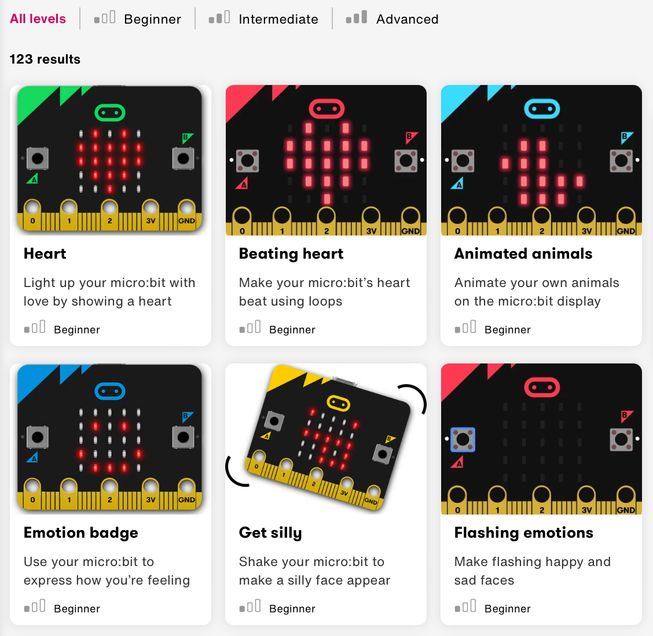
If you are used to teaching lessons based on Make it: code it projects, why not allocate a section of your lessons to adapting these? Every Make it: code it project comes with an 'Improve it' section with ideas on how students can tweak them to make them their own.
You could also ask your students to adapt a project by combining it with something they learned in a previous lesson. For example, if today’s lesson is based on the name badge project, and you have previously taught students how to make animations, they could adapt their name badge programs by including animations.
Expand to the wider curriculum
When encouraging students to be creative with the micro:bit, you do not need to restrict teaching to computer science lessons. Students could create a micro:bit device to help them conduct an experiment in science, write a story in literacy, or take measurements in geography. This approach can help inspire students who prefer subjects other than computer science.
Try unplugged resources
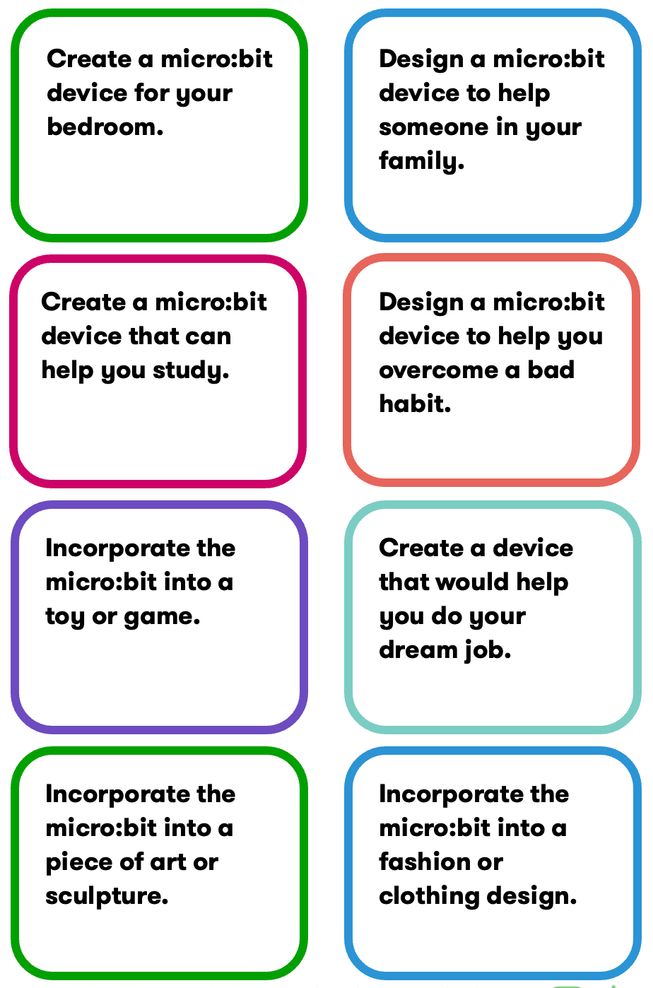
Cards from the My micro:bit invention activity
Your lessons do not necessarily need to involve coding. Students can simply come up with ideas for devices they would like to make. Separating idea generation from coding may help your students be more inventive.
NEW! The My micro:bit invention activity
The My micro:bit invention activity gets students to design their own digital device. It includes a set of cards with prompts such as ‘Create a micro:bit device for your favourite movie character’ or ‘Create a device that would help you do your dream job’. The activity also includes a worksheet for students to complete.
The micro:bit paper prototype activity pack
The micro:bit paper prototype activity pack contains a set of cards describing the features of the micro:bit. Students use the cards in small groups to create solutions on paper to real-world problems. This activity encourages creativity and teamwork, and provides students with opportunities to evaluate and present their ideas.
Organise design challenges
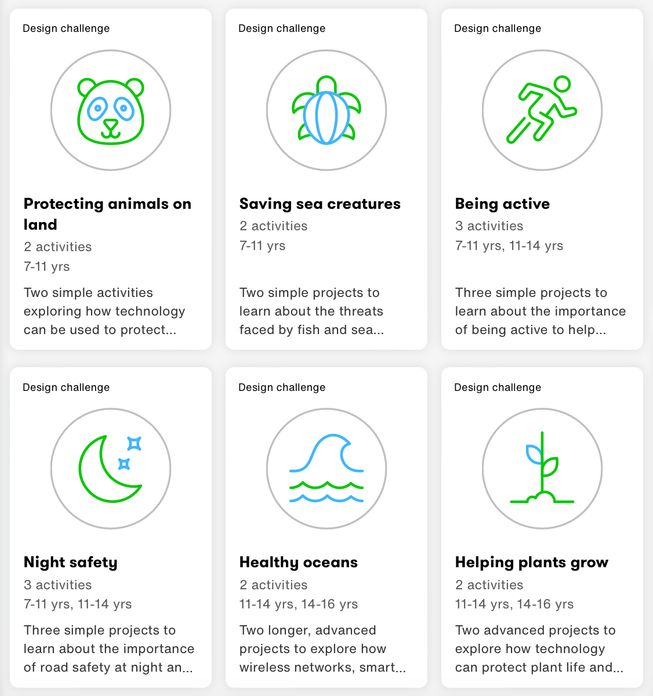
We have six design challenges in the Lessons section of our website. These encourage students to find solutions related to the Global Goals for sustainable development (SDGs). The resource packs include lesson plans, slides and code files.
The challenges’ themes are:
- Protecting animals on land
- Saving sea creatures
- Being active
- Night safety
- Healthy oceans
- Helping plants grow
For further inspiration on setting design challenges, visit the do your :bit student showcase.
Take our free courses
Take teaching creativity to the next level by completing our short courses on design thinking. Both take only 30 minutes.
Introduction to design thinking course
The Introduction to design thinking course presents design thinking as a framework to explore digital creativity in the classroom.
Applying design thinking course
The Applying design thinking course shows you how design thinking can help when tackling creative challenges with your students, and uses examples aligned with the United Nation's Global Goals to bring the content to life.
Need further support?
Add a ticket to our help desk, try another online platform like Reddit or Discord, or form a local group of computer science teachers so that you can support each other.
Why not get creative with the micro:bit in your lessons? We’d love to know how you get on! What did your students invent? Tell us on Facebook, LinkedIn or Instagram.