Co-creating accessible coding experiences with young people
For Global Accessibility Awareness Day, Bennett Lehman, a member of the Youth Ideation Panel, and Dr Emma Posey, Accessibility Programme Manager at the Micro:bit Educational Foundation, share how young people’s lived experiences are helping shape more accessible coding tools for learners around the world.
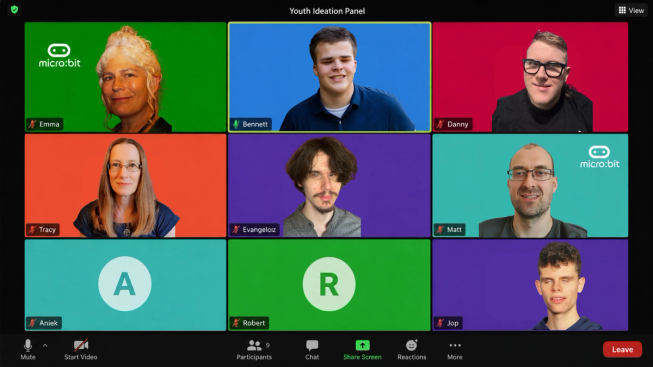
Youth Ideation Panel members helped shape screen reader compatibility in Microsoft MakeCode for micro:bit.
At the Micro:bit Educational Foundation, users’ lived experiences are baked into the way we design and develop our products and resources.
The Youth Ideation Panel grew out of the Blockly Accessibility Project, a Google-funded initiative with partners including Blockly and Microsoft MakeCode, and the wider community, to improve accessibility in block-based coding.
Through user testing and ongoing feedback, the Foundation continues to iterate its software, hardware and onboarding resources to better support learners and educators around the world. But one approach has felt especially different – the Youth Ideation Panel.
In summer 2025, at the start of the screen reader compatibility work in Microsoft MakeCode for micro:bit, the Youth Ideation Panel brought together six young coders aged 18+ from the Netherlands, Hungary, the UK and the US.
Danny Watson, one of the panelists, described the experience of working with a “global community of people with special educational needs or disabilities” as “quite a unique challenge”, with the group collaborating across more than one continent and several countries.
Five of the six young people on the panel are blind - including Bennett - and had not previously engaged with block-based editors because they had been inaccessible to them. The sixth panellist is visually impaired.
Their input has been hugely valuable, particularly in shaping the accessible screen reader speech output and the terms used to refer to blocks and instructions. The result is a powerful example of co-creation in action.
Why a Youth Ideation Panel?
The Foundation’s target age for MakeCode is 8 to 14. Dr Tracy Gardner, who moderated the panel, believes that working with young people who were slightly older than the target audience was crucial.
Because the panel members were older and more experienced than the children MakeCode is designed for, they could give detailed feedback on early ideas and prototypes. This helped the team improve the experience before testing it with younger learners.
As a result, when the Foundation later carried out face-to-face user testing with younger learners, the prototypes were more developed, which Tracy says “gave them a much more positive experience”.
For panelists Jop van der Linden and Evangelosz József Nagy, the strength of the process was the level of collaboration achieved in each session. They felt the project moved quickly, with each version shaped by the group’s feedback, while still creating space for everyone to share their views respectfully.
Tracy also saw the value of this peer-led dynamic. As moderator, she often found that her role was simply to start the discussion, then step back as the group shared tips, built on each other’s ideas and explored different perspectives.
Respectful collaboration
Bennett and Emma both noted the high level of respectful listening and consideration of other people’s ideas during the sessions.
Jop and Evangelosz described the collaboration as natural and effective, with the group members listening carefully, comparing different opinions and working towards decisions that would benefit not just the panel, but future users too.
For Aniek Linders, another member of the Youth Ideation Panel, the experience was also a chance to learn from others in a new way. She reflected that everyone was able to contribute to the discussion and that “you learn a lot from each other”. Although she initially found the process frustrating because it was unfamiliar, she said: “Once I actually got the hang of what I was doing, it was so fun!”
Robert Knight, Web Developer at the Micro:bit Educational Foundation, led the development of screen reader compatibility in MakeCode for micro:bit. For Robert, one of the standout features of the panel was the supportive atmosphere. The group understood that different accessibility needs could involve trade-offs, including between visual and dexterity impairments, and members often helped one another by sharing screen reader advice, shortcuts, tips and tricks.
Danny says the sessions made him feel “empowered, listened to and valued”. He added that the group “were very open to support me and respected my fine motor difficulties, which had an impact on my ability to learn and use screen reader technology.”
How the panel’s feedback shaped the work
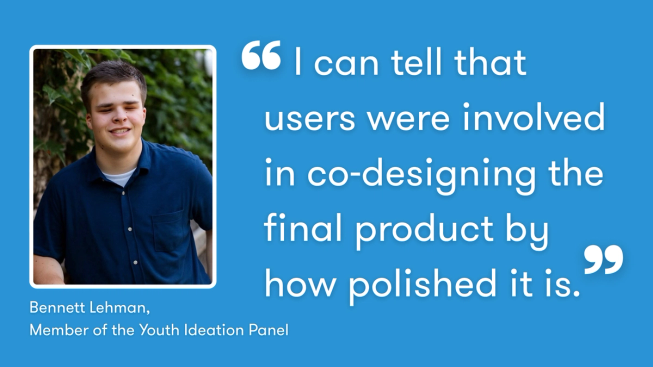
Bennett Lehman reflects on the impact of co-designing accessible coding tools with users.
For Bennett, the importance of involving users directly is clear: “The best way to get results is to get users involved. Obviously blind people have to help develop it.”
Other panel members also recognised that their feedback was shaping the product in a meaningful way. For Jop and Evangelosz, the process showed how important it is for developers to listen to feedback from users and understand the weight it carries.
Rachel Fenichel, Director of Blockly, also emphasises how important the panel’s contribution was to the wider accessibility work:
“The Youth Ideation Panel was vital to the development of Blockly's - and therefore MakeCode’s - accessibility features. The group’s willingness to creatively engage with early prototypes gave us confidence in our work and guided us away from common pitfalls.”
One important area of feedback related to screen reader verbosity - the amount of detail, such as punctuation, element types and structural information, announced by a screen reader. The panel’s input helped ensure this was kept to a minimum wherever possible.
One challenge was communicating the hierarchy and nesting of blocks in a program. Early prototypes did not yet have a way to do this. Robert and the team described how nested blocks appeared visually, and the panel helped translate that information into a practical specification that shaped the aria-labels and introduced audio cues. For elements without visible text, such as icon-based buttons or inputs, aria-labels provide a text alternative that can be read out by screen readers.
Another example was the term “C-shaped block”, which is commonly used in block-based coding. The panel rejected this term because the letter C in braille is not C-shaped. By engaging early and continually with users, the panel helped identify that some key terms used in block-based coding rely on visual and spatial references, and need to be reframed.
The panel also shaped decisions around keyboard navigation. For example, the team had not initially considered that keyboard navigation looping could be problematic. Through the panel’s feedback, it became clear that users needed hard stops at the top and bottom of the program, as well as at the far left and right of individual blocks, to help them find the limits or boundaries of the program.
Other key findings included the importance of keeping screen reader output concise, while allowing users to access more contextual information when needed. As Robert put it, “less is more when it comes to screen reader output”. However, the panel’s feedback also showed that users sometimes need the option to access more contextual information on demand, and that longer instructional labels can be helpful when they are genuinely needed.
For Bennett, the difference is clear in the final experience: “I can tell that users were involved in co-designing the final product by how polished it is.”
What we learned
The Foundation benefited from immediate feedback from users who are often hard to reach. But the process also highlighted ways the approach could be improved in future.
For Tracy, one important learning was the value of building youth ideation into project plans earlier, so there is more time and thinking space to maximise young people’s input.
Jop and Evangelosz also suggested creating a more direct platform, such as an instant messaging group or shared document, so the panel and developers could exchange feedback, messages and attachments in real time. They felt this did not need to be complicated: even a standalone Word or HTML document, or a temporary webpage containing the testing version of the editor, could help.
Robert also reflected that the sessions could sometimes become lively, particularly when the group was debating application behaviour. A hands-up system may have made discussion easier to manage, but it might also have reduced the dynamic conversations that made the panel so valuable.
Danny would also have liked the opportunity to “contribute to the programming of the tool”, particularly because it is open source software.
Creating coding tools for all users
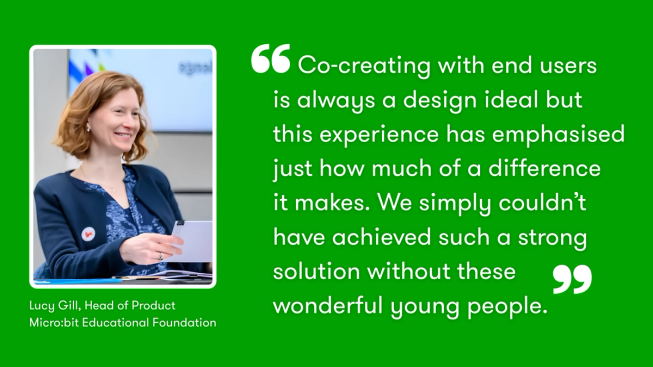
Lucy Gill reflects on the value of co-creating accessible coding tools with young people.
One of the biggest takeaways from the Youth Ideation Panel was a renewed clarity around what it means to create coding tools for all users. For Tracy, the voices of the young people involved will continue to shape how she thinks about future projects.
Lucy Gill, Head of Product at the Micro:bit Educational Foundation, reflected on how effective this approach has been:
“Co-creating with end users is always a design ideal but this experience has emphasised just how much of a difference it makes. We simply couldn’t have achieved such a strong solution without these wonderful young people. Thank you to our panel and to our team for making this happen.”
For the Micro:bit Educational Foundation, this work is part of a wider commitment to making digital creativity more accessible and inclusive.
By involving young people with lived experience throughout the design process, the Foundation is helping to ensure that accessibility is not an afterthought. It is part of how better tools, better learning experiences and more inclusive opportunities are created from the start.
As we mark Global Accessibility Awareness Day, the Youth Ideation Panel is a powerful reminder that accessibility work is strongest when it is shaped by the people it is designed to support. Their ideas, expertise and lived experiences are helping us build tools that open up coding and digital creativity to more young people.
Explore our accessibility page to find out more about our commitment to accessible learning and discover resources to support inclusive teaching with the micro:bit.