Qu'est-ce que c'est ?
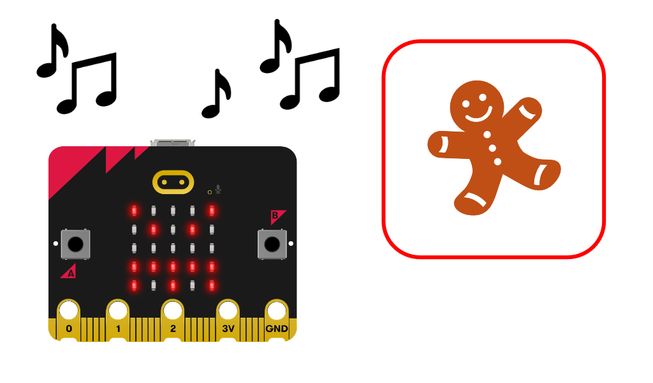
Utilisez le capteur de lumière du micro:bit pour créer une alarme sonore afin de protéger vos cookies. Dans le cadre de ce projet ludique, les élèves découvriront la notion de sélection.
Comment ça marche
- Le programme transforme l’écran LED du micro:bit en capteur de lumière.
- Placez le micro:bit dans votre boîte à biscuits. Lorsque la boîte est ouverte, le capteur de lumière détecte un changement de niveau de luminosité et déclenche l'alarme.
- Le programme utilise une boucle infinie ou bloc pour toujours pour continuer à vérifier les niveaux de lumière. Les boucles sont également appelées itérations.
- Selection or an if then else block is used with comparison logic so that if the light level is above a certain amount, an angry face appears on the display and an audible alarm plays.
- Appuyez sur le bouton de réinitialisation situé à l'arrière de votre micro:bit pour réinitialiser l'alarme.
Ce dont vous aurez besoin
- un micro:bit
- L'éditeur MakeCode
- coupleur de piles
- Haut-parleur et clips crocodile en option si vous utilisez un micro:bit V1
Codez votre projet
Voici les blocs dont vous avez besoin pour faire le projet - il faut maintenant les mettre ensemble.
Instructions étape par étape
- Ouvrez le projet pour trouver les blocs dont vous avez besoin en utilisant les boutons ci-dessus.
- Find the if then else block and put it inside the forever block.
- Find the 0 > 30 comparison block and put it onto the word ‘true’ in the if then else block.
- Find the light level block and put it onto the zero in the 0 > 30 comparison block.
- Locate the show icon (angry) block and put it in the if then else block underneath ‘if light level > 30’.
- Find the play melody dadadum block and put it directly underneath the show icon block.
- Now, whenever the light level is more than 30, your micro:bit will show an angry icon and play an alarm. But you must also tell your micro:bit what to do if the light level is not more than 30.
- Under ‘else’ in the if then else block, add the final clear screen block.
- Téléchargez le programme sur votre micro:bit, branchez un pack de piles et essayez-le!
Personnalisez-le
- Rendez l'alarme plus ou moins sensible… en ajustant le nombre dans le bloc de comparaison. Les nombres supérieurs à 30 nécessiteront plus de lumière pour déclencher l'alarme. Les nombres inférieurs à 30 nécessiteront moins de lumière pour déclencher l'alarme.
- Modifiez l'icône… en utilisant les options du bloc afficher l'icône. Quelle icône est la plus susceptible de faire fuir les voleurs de cookies?
- Changez la mélodie… en utilisant les options du bloc jouer la mélodie. Vous avez le choix entre 10 mélodies.
Exemple de projet réalisé
Jetez un coup d'œil à un extrait de code finalisé
Projets associés
Ce projet fait partie d'une collection de projets inclusifs avec des sons et des images.