Skip to content

Developing AI literacy with the micro:bit

Unit of work

8 lessons

CreateAI, MakeCode

11-14 yrs

These lessons are designed for teachers and students who have little to no prior knowledge of AI or machine learning.

The lessons are designed to be taught as a sequence and build understanding as students progress through the unit.

Some lessons use the micro:bit with a tool called micro:bit CreateAI to help teach how AI systems work, and some lessons are unplugged – students don’t need a micro:bit or a computer. The micro:bit is used for the first time in lesson 3. If you’d like to find out more in advance, watch the Introduction to the micro:bit video or the Discover micro:bit CreateAI video.

Lessons 1, 2, 5 and 8 use unplugged activities to introduce AI in the context of familiar technology, link what students already know about sorting data to explain machine learning, reflect on how bias can impact AI users, and consider the design and impacts of AI tools.

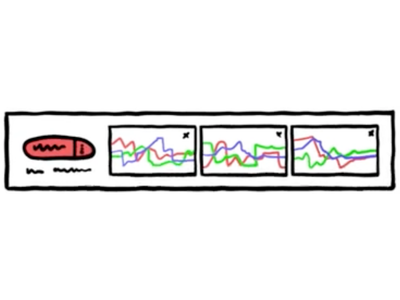
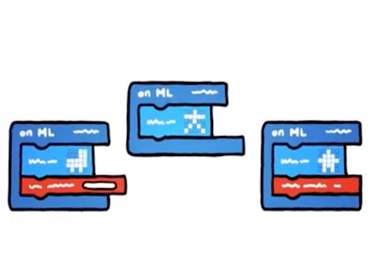
Students get hands-on with the micro:bit CreateAI tool in lessons 3, 4, 6 and 7. They collect and clean their own movement data and use it to train, test and improve a machine learning (ML) model used in a simple exercise timer. Students are given a ready-made CreateAI project, then they personalise and improve it throughout the series of lessons, including amending the project code in MakeCode and testing the project on a micro:bit away from the screen.

Students also have opportunities to discover the risks of bias and importance of diverse training data to make AI tools that work for all people, deepening an understanding of the human role in designing and using AI.

We recommend your students have some experience of using the micro:bit before using CreateAI. This could be as simple as completing a Make it: Code it project which gets your students confident with putting code on the micro:bit.

If your students already have a prior understanding of AI, or if you have limited time to deliver this unit, you could skip the first and final lessons and still cover a lot of important AI literacy skills.

AI literacy:

Collecting training data

How machines learn

Human role in AI design

Impact of AI

Iterating ML models

Machine learning

Perceptions of AI

Testing ML models

Types of AI

Understanding AI

Computer systems:

Hardware & software

Input/output

Sensors

Data literacy:

Analysing data

Cleaning data

Collecting data

Data bias

Impact of data

Interpreting data

Visualising data

Design & technology:

Designing within contexts

Product design

Programming:

Variables

Safety & security:

Data privacy

Overall key learning

  • Describe what AI is and different kinds of technology that use AI
  • Talk about AI in a way that shows it is a machine and not human
  • Understand machine learning as a type of AI and link it to current knowledge of sorting data using patterns and differences
  • Understand the importance of data in AI systems
  • Consider when it is appropriate to give consent for data to be used
  • Collect data for different categories of movements, and clean data sets - identifying and removing outliers
  • Train and test an ML (machine learning) model using physical movement and examine it for accuracy
  • Understand that bias in AI can come from inaccurate data or gaps in data and can have an impact on users
  • Improve an ML project by reflecting, evaluating and iterating including updating project code in MakeCode
  • Consider the impacts of AI tools on people or society.

Additional skills

Iterative process, collaboration, testing, presenting, modifying, logical thinking, fault-finding, evaluation, critical thinking.

Lesson 1: Talking about AI

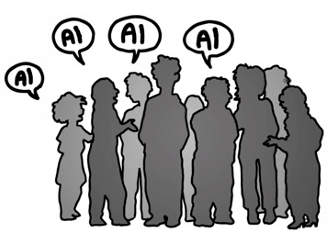
This unplugged lesson is the first of eight that explore AI (artificial intelligence). Students identify whether familiar technology uses AI or not, and evaluate the language used to describe AI.

Key learning:

  • I can describe what AI (artificial intelligence) is in simple words.
  • I can describe different kinds of technology that do and do not use AI.
  • I can talk about AI in a way that shows it is a machine and not human.

AI literacy:

Perceptions of AI

Types of AI

Understanding AI

Lesson 1 details

Lesson 2: Exploring AI: the importance of data

This is an unplugged lesson, and the second of eight lessons that explore AI (artificial intelligence). It highlights what students already know about sorting data through a card-sorting activity, and discusses data use and consent.

Key learning:

  • I can apply rules to sort data into categories like machines do.
  • I understand the importance of data in AI systems.
  • I consider when it is appropriate to give consent for my data to be used.

AI literacy:

How machines learn

Understanding AI

Data literacy:

Analysing data

Interpreting data

Visualising data

Safety & security:

Data privacy

Lesson 2 details

Lesson 3: Exploring ML: evaluating data

This is the third of eight lessons exploring AI or machine learning (ML). This is the first lesson in the unit that uses micro:bit CreateAI, a free tool for teaching about ML using movement data on the BBC micro:bit.

Key learning:

  • I understand ML (machine learning) models need training data.
  • I can use an accelerometer to collect movement data samples.
  • I can clean data to help my model work well.

AI literacy:

Collecting training data

How machines learn

Human role in AI design

Understanding AI

Computer systems:

Sensors

Data literacy:

Analysing data

Collecting data

Interpreting data

Lesson 3 details

Lesson 4: Exploring ML: testing accuracy

This is the fourth of eight lessons and uses micro:bit CreateAI, a free tool for teaching about ML (machine learning) using movement data on the BBC micro:bit.

Key learning:

  • I can consider if the use of my data in CreateAI is safe and appropriate.
  • I can train and test my machine learning (ML) model to react to different kinds of movements.
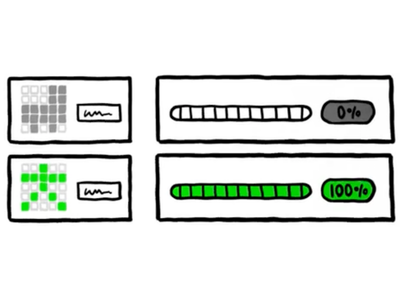
  • I can examine the accuracy of my ML model using a record card.

AI literacy:

How machines learn

Human role in AI design

Testing ML models

Understanding AI

Data literacy:

Cleaning data

Lesson 4 details

Lesson 5: Exploring ML: considering bias

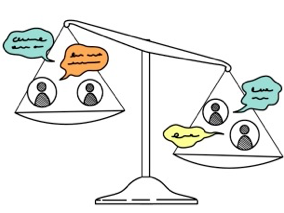
This is the fifth of eight lessons teaching about AI and ML (machine learning). It is an unplugged lesson examining students’ projects so far and thinking about bias.

Key learning:

  • I understand that bias in AI tools can have an impact on users.
  • I understand that bias in AI comes from inaccurate data and gaps in data.
  • I know what questions to ask to examine an AI tool for bias.

AI literacy:

How machines learn

Human role in AI design

Understanding AI

Data literacy:

Analysing data

Data bias

Interpreting data

Visualising data

Lesson 5 details

Lesson 6: Exploring ML: making improvements

This is the sixth of eight lessons using micro:bit CreateAI, a free tool for teaching about ML (machine learning) using movement data on the BBC micro:bit.

Key learning:

  • I can improve an ML project by reviewing data for gaps and adding a wider data set.
  • I can compare accuracy of my ML models using a record card.

AI literacy:

Human role in AI design

Iterating ML models

Testing ML models

Data literacy:

Impact of data

Lesson 6 details

Lesson 7: Exploring ML: coding with your model

This is the seventh of eight lessons using micro:bit CreateAI, a free tool for teaching about ML (machine learning) using movement data on the BBC micro:bit.

Key learning:

  • I can read and edit block code that uses my ML (machine learning) model.
  • I can add new code blocks to work with the new action I added to my ML model.

AI literacy:

Human role in AI design

Computer systems:

Hardware & software

Input/output

Programming:

Variables

Lesson 7 details

Lesson 8: Evaluating AI project design and impacts

This unplugged lesson is the final lesson after a series of lessons that use micro:bit CreateAI, a free tool for teaching about ML (machine learning) using movement data on the BBC micro:bit, to build personalised AI exercise timers.

Key learning:

  • I can evaluate my ML model and code running on a micro:bit.
  • I can use a model card to evaluate the features and limitations of an ML model.
  • I can consider the impacts of AI tools on people or society.

AI literacy:

Human role in AI design

Impact of AI

Testing ML models

Design & technology:

Designing within contexts

Product design

Lesson 8 details

OECD Empowering Learners for the Age of AI

Knowledge

The Nature of AI

1.1 AI is not human. AI systems use algorithms to combine step-by-step procedures with statistical inferences (e.g. weights and biases) to process data, detect patterns and generate outputs based on probabilities (Russell & Norvig, 2022)

1.2 Machines “learn” by inferring how to generate outputs in response to patterns in the data they were trained on and new information they receive. They do so with varying levels of autonomy, adaptiveness and accuracy (Russell & Norvig, 2022). These outputs can take the form of predictions, content or recommendations that influence physical or virtual environments.

AI Reflects Human Choices and Perspectives

2.1. Building and maintaining AI systems relies on humans to design algorithms, collect, manage, evaluate and label data and moderate harmful content. These systems reflect human choices, assumptions and labour practices, and are shaped by unequal global conditions (Ma et al., 2025; Mittelstadt et al., 2016; Rani & Dhir, 2024).

2.3 AI systems can gather data during interactions with users that influence decisions, processes and outputs in real time (Burrell, 2016; King & Meinhardt, 2024; Ma et al., 2025).

2.4. AI systems are trained to identify patterns among data elements that humans have selected, categorised and prioritised (Noble, 2018). This training can also involve reinforcement learning, where AI systems improve performance through trial-and-error interactions with environments guided by feedback and rewards (Touretzky & Gardner-McCune, 2022).

2.5 Bias inherently exists in AI systems, which can also reflect societal biases embedded in training data or algorithm design. Humans can increase or mitigate those biases in AI systems – accidentally or deliberately – during design, development, testing or use of AI. This can have far-reaching consequencesfor individual users and entire societies (Buolamwini, 2024; Buolamwini & Gebru, 2018; Mittelstadt et al., 2016; Noble, 2018).

AI’s Capabilities and Limitations

3.1. AI can perform tasks like pattern recognition, automation and content creation. It lacks emotions, ethical reasoning, critical thinking, context and originality despite simulating those in its outputs (Burrell, 2016; Heintz, 2022; Huckins, 2023; Weidinger et al., 2021).

AI’s Role in Society

4.1. AI systems can influence decisions in many areas of daily life. They are increasingly used for tasks that have positive and negative impacts, including information filtering, recommendations, classifications and pattern recognition (Abendroth-Dias et al., 2025; Buolamwini & Gebru, 2018). Across all AI uses, humans must exercise agency and preserve the capacity to make intentional and autonomous decisions (Schlosser, 2019).

4.3 Responsible and ethical AI design encompasses fairness, transparency, explainability, accountability, respect for privacy and legal compliance (Fjeld et al., 2020; Long & Magerko, 2020; Nezhad et al., 2025).

Skills

Critical thinking

Evaluate AI use and AI-generated content for accuracy, fairness and bias to make informed and ethical decisions.

How do I know if using AI is relevant, appropriate or responsible? How can I check the accuracy of AI-generated outputs and reduce the risk of harmful bias?

Communication

Describe how AI works in a way that promotes transparency, avoids anthropomorphism and encourages responsible use.

How can I describe AI for myself and others? How can I use my knowledge about AI to promote ethical use?

Self and social awareness

Recognise how AI influences personal choices, relationships and communities and reflect on its broader societal and environmental impacts.

How does AI impact me, my classmates, my community and the environment?

Attitudes

Reflective

Learners question the assumptions and narratives surrounding AI use to determine how AI might factor into their own lives. They critically appraise AI tools and outputs, weigh the opportunities and risks of using AI, and test new claims using reasoning and evidence. They apply a discerning lens to evaluate new technology across different use cases.

Responsible

Learners think carefully about how they use AI and recognise that they are accountable for their choices. They consider both the intended and the unintended effects of their actions and are committed to preventing harm to others and the environment. Learners see the importance of transparency and informed decision making about AI use, including the choice to not use AI.

Adaptable

Learners show perseverance and flexibility when working with AI. They are open to diverse ideas and perspectives. They know how to reframe problems and approaches in response to biased outputs and unpredictable behaviours. Rather than simply accepting the output that comes from an AI tool, adaptable learners understand that learning with AI is an iterative process shaped by feedback and revision. They recognise that there are many possible ways to solve a problem.

Empathetic

Learners thoughtfully examine how AI impacts individuals, communities and the environment. They weigh the potential opportunities and risks of using AI through the lens of its possible impacts, understanding that it can introduce unintended outcomes that vary for different groups of people. They also judge the effect AI tools can have on their own mental health, as well as others’ well-being. When considering whether or how to use AI, they adopt others’ perspectives and think about the ethical implications of their choices in the short- and long-term.

Competences

Engage with AI

1 - Recognise AI’s role and influence in different contexts

2 - Describe how AI systems perform tasks using language that addresses and clarifies common misconceptions

3 - Evaluate whether AI outputs should be accepted, revised or rejected

6. Explain how AI could be used to amplify societal biases

7 - Analyse how well the use of an AI system aligns with ethical principles and human values.

Shape AI

1 - Investigate how an AI system is intended to work, whom it is designed for and what its limitations are

2 - Evaluate AI systems using defined criteria, expected outcomes, test cases and user feedback

3 - Design AI systems with attention to how data sources, selection and information flow influence behaviour and outputs

4 - Improve AI systems to address and promote human well-being and societal benefit.

Read the OECD AI Literacy Framework in full.

UNESCO AI competency framework for students

Human centred mindset

4.1.1 Foster an understanding that AI is human-led

4.2.1 Develop a view that human accountability is a legal obligation of AI creators and AI service providers

4.3.1 Foster awareness of being a critical AI citizen

Ethics of AI

4.1.2 Illustrate dilemmas around AI and identify the main reasons behind ethical conflicts

4.1.2 Guide the embodied reflection and internalization of ethical principles on AI

4.2.2 Foster self-awareness and habitual compliance with ethical principles for the responsible use of AI

AI techniques and applications

4.1.3 Exemplify the definition and scope of AI

4.1.3 Develop conceptual knowledge on how AI is trained based on data

4.1.3 Concretize human-centred considerations in the design and use of AI

4.2.3 Offer opportunities to strengthen knowledge and skills on data modelling, engineering and analysis

4.2.3 Provide opportunities to acquire age-appropriate technical skills in AI programming

4.3.3 Challenge and enable advanced skills to develop task-based AI tools

4.3.3 Enhance students’ creativity in applying AI knowledge and skills to customize AI toolkits and coding

4.3.3 Equip students with skills to test and optimize their self-crafted AI tools

AI system design

4.3.4 Develop the skills to critique AI systems

4.3.4 Foster students’ self-identities as co-creators in the AI era

Read the UNESCO AI competency framework for students in full.

USA CSTA Standards

2026 Computer Science Teachers Association (CSTA) PK-12 Foundational Computer Science Standards

Algorithms & Design

  • MS-ALG-PS-05: Use an AI tool to generate outputs that assist in solving a computational problem.
  • MS-ALG-ML-06: Hypothesize how a machine learning model generates classifications or predictions.
  • MS-ALG-ML-07: Investigate ways to improve the accuracy of a machine learning model and reduce bias by refining the quality of examples and nonexamples in the training data.
  • MS-ALG-ML-08: Evaluate the features and limitations of a machine learning model.

Data & Analysis

  • MS-DAT-IM-29: Analyze how decisions made at different stages of working with data can lead to biased data, misleading conclusions, and compromised AI models.

Read the 2026 CSTA Standards in full.

CSTA K–12 Computer Science Standards, Revised 2017

Computing Systems

  • 2-CS-01: Recommend improvements to the design of computing devices, based on an analysis of how users interact with the devices.
  • 2-CS-02: Design projects that combine hardware and software components to collect and exchange data.

Data & Analysis

  • 2-DA-08: Collect data using computational tools and transform the data to make it more useful and reliable.
  • 2-DA-09: Refine computational models based on the data they have generated.

Algorithms & Programming

  • 2-AP-16: Incorporate existing code, media, and libraries into original programs, and give attribution.

Impacts of Computing

  • 2-IC-20: Compare tradeoffs associated with computing technologies that affect people's everyday activities and career options.
  • 2-IC-21: Discuss issues of bias and accessibility in the design of existing technologies.

Safety, Law, & Ethics

  • 2-IC-23: Describe tradeoffs between allowing information to be public and keeping information private and secure.

Read the 2017 CSTA Standards in full.

England National Curriculum

Computing

Aims

  • can understand and apply the fundamental principles and concepts of computer science, including abstraction, logic, algorithms and data representation
  • can evaluate and apply information technology, including new or unfamiliar technologies, analytically to solve problems
  • are responsible, competent, confident and creative users of information and communication technology.

KS3 subject content

  • understand the hardware and software components that make up computer systems, and how they communicate with one another and with other systems
  • a undertake creative projects that involve selecting, using, and combining multiple applications, preferably across a range of devices, to achieve challenging goals, including collecting and analysing data and meeting the needs of known users

KS4 subject content

  • develop their capability, creativity and knowledge in computer science, digital media and information technology

Design Technology

Evaluate

  • investigate new and emerging technologies
  • test, evaluate and refine their ideas and products against a specification, taking into account the views of intended users and other interested groups
  • understand developments in design and technology, its impact on individuals, society and the environment, and the responsibilities of designers, engineers and technologists

Science

Analysis and evaluation

  • evaluate data, showing awareness of potential sources of random and systematic error

Read the full KS3 and KS4 Computing curriculum.

Northern Ireland Curriculum

The world around us: Science and Technology – Digital skills curriculum

Becoming a digital citizen at KS3

  • Consider the moral and ethical impact of digital technology on society.

Becoming a digital worker at KS3

  • Use applications to create products with thought given to both the audience and the purpose through the use of digital design
  • Troubleshoot basic problems with their digital technology.

Read the KS3 and KS4 Science and Technology Curriculum Areas of Learning in full.

Scotland Curriculum for Excellence

Technologies: Technological developments in society and business

  • I understand how scientific and technological developments have contributed to changes in everyday products. (TCH 3-05a)
  • I can evaluate the implications for individuals and societies of the ethical issues arising from technological developments.(TCH 3-06a)

Technologies: Computing science

  • I can describe different fundamental information processes and how they communicate and can identify their use in solving different problems. (TCH 3-13a)
  • I am developing my understanding of information and can use an information model to describe particular aspects of a real world system. (TCH 3-13b )
  • I can describe the structure and operation of computing systems which have multiple software and hardware levels that interact with each other. (TCH 3-14b)
  • I can explain the overall operation and architecture of a digitally created solution (TCH 4-14b)
  • I understand the relationship between high level language and the operation of computer (TCH 4-14c)

Read the full Curriculum for Excellence: Technologies.

Curriculum for Wales

Digital competence framework - Data and computational thinking

Data information literacy

Progression step 4

  • I can perform analysis on simple data sets including grouping data as appropriate.
  • I can analyse large data sets and identify trends where appropriate.
  • I can detect and correct errors in algorithms.

Progression step 5

  • I can use my data to explain and add validity to conclusions and, where possible, modify conclusions and/or hypothesis.

Descriptions of learning for Science and Technology

Computation is the foundation of the digital world

Progression step 4

  • I can select and use multiple sensors and actuators that allow computer systems to interact with the world around them.

Progression step 5

  • I can test, evaluate and improve a solution in software.
  • I can design and create physical systems that use appropriate components and logic to complete tasks and achieve goals.

Being curious and searching for answers is essential to understanding and predicting phenomena

Progression step 4

  • I can evaluate and identify ways of improving the reliability of data, taking anomalies into account.

Progression step 5

  • I can critically evaluate the quality of data and justify improvements.

Read the full Science and Technology Curriculum.

You may also be interested in

Two lessons introducing the concepts of AI and machine learning using micro:bit CreateAI.

Seven lessons introducing AI in general and unpacking what students already know about sorting data, before getting hands-on, creating, testing and improving their own machine learning models to be used as new inputs in code on the micro:bit.