MakeCode completed tactile programs
Files
Start sound completed tactile program colour PDF
Start sound completed tactile program bw PDF
Doorbell completed tactile program colour PDF A3/Ledger
Doorbell completed tactile program bw PDF A3/Ledger
Shake alarm completed tactile program colour PDF A3/Ledger
Shake alarm completed tactile program bw PDF A3/Ledger
Mood music completed tactile program colour PDF A3/Ledger
Mood music completed tactile program bw PDF A3/Ledger
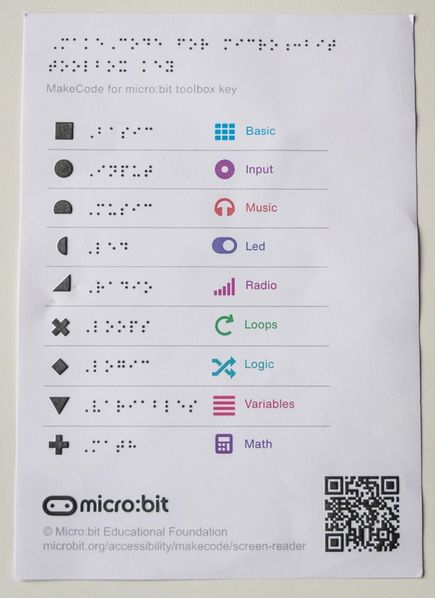
Tactile toolbox key PDF
Use these tactile Microsoft MakeCode for micro:bit coding blocks with the Getting started with screen reader activities for MakeCode for micro:bit. Each activity has specific guidance for using tactile resources to introduce concepts.
These programs provide an alternative to the MakeCode tactile cut-out blocks and MakeCode text programs.
You will need
- Standard printer, A3/Ledger swell paper and tactile graphics machine, or braille embosser.
Prepare
MakeCode programmes
Print out the programs for the activities you are using.
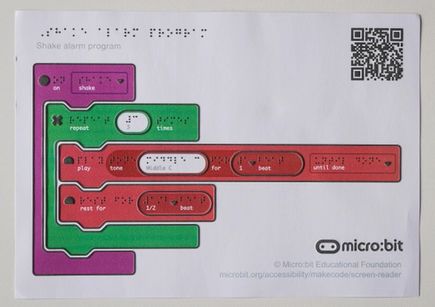
- Print the program on swell paper in colour or black and white.
Important: do not scale the print settings. - Feed the printed paper through a tactile graphics machine. When heated, the black areas and braille dots will rise while coloured areas stay flat.
Alternatives:
- Use the editable files and remove the braille before printing, laminate or cover with clear adhesive plastic for durability and stick on clear braille labels.
- Print the program on a braille embossing machine.
MakeCode tactile toolbox key
Print out one copy of the MakeCode tactile toolbox key and reuse it across all activities. Follow the print instructions above.
Use
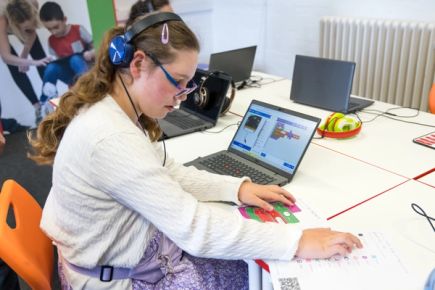
Use the tactile blocks to introduce braille users to coding with MakeCode as part of Activities 3 through to 6 in the Getting started with screen reader activities for MakeCode for micro:bit.
These resources show the completed programs. Explain that blocks from the toolbox may have different input values that can be changed when the block is on the workspace.
Use the MakeCode tactile toolbox key to look up the names of categories using the tactile icon on each block. This provides an alternative to the use of colour.
Editing the resources
To modify labels or translate the text, use the editable files. The folder contains both colour and black-and-white versions.
You will need to install the Swell Braille font (free) on your computer in order for the braille font to be visible on the design file.