micro:bit tactile diagram
Files
This resource is designed for users who want to explore the BBC micro:bit device in detail. Students who are blind or visually impaired can familiarise themselves with the features of the micro:bit.
This resource uses Unified English Braille (UEB) Grade 1 which is suitable for beginners.
You will need
- Standard printer, swell paper, and tactile graphics machine
- Braille embosser
Prepare
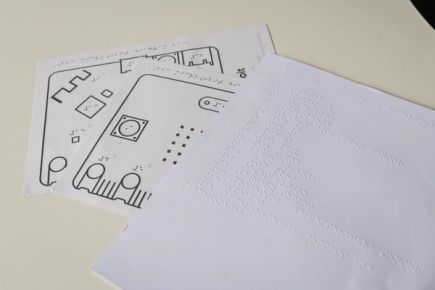
Diagram
- Print the diagrams on swell paper in colour or black and white.
Important: do not scale the print settings. - Feed the printed paper through a tactile graphics machine. When heated, the black areas and braille dots will rise while the grey areas stay flat.
Key
Print the key on a braille embosser.
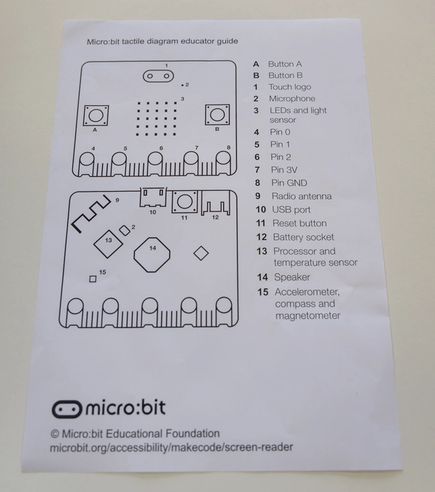
Educator guide
The educator guide is designed to assist sighted educators. It can be printed or used digitally.
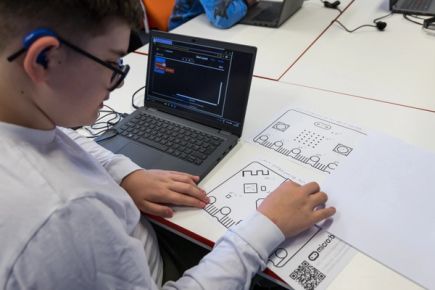
Use
The tactile diagram and key can be used for introducing new features of the micro:bit or as a classroom resource.
Editing the resource
To modify labels or translate the text, use the editable files.
You will need to install Swell Braille font (free) on your computer in order for the braille font to be visible on the design file.
Related content
The Getting started with screen reader activities for MakeCode for micro:bit is designed for beginners.
The Beginner text tour of the micro:bit offers a short introductory audio description with transcription of the micro:bit. You can also access a more detailed Full text tour of the micro:bit.
For sighted students, you may find this Annotated micro:bit poster helpful.
Visit our Accessibility page to find links to guides and resources to help teachers support students with different needs when using the micro:bit.