MakeCode editor tactile diagram
Files
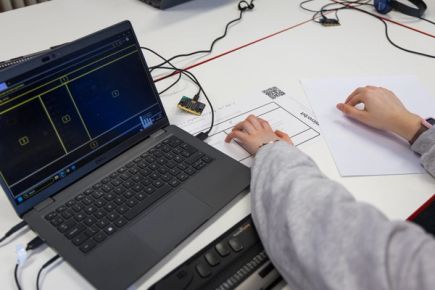
A tactile diagram of the Microsoft MakeCode for micro:bit editor with a key to label the areas.
Note: Mac users should use Command instead of Control.
Diagram
Some screen reader users find it helpful to understand the layout of the MakeCode editor. The numbers on the diagram correspond to the area numbers used in the area menu in MakeCode. This diagram includes the keyboard controls for moving between areas of the editor as well as important editor commands. The information on the key is included on the diagram in grey text for sighted educators and students.
Text key
A corresponding text key for the diagram for printing on a braille embosser. The key also includes important keyboard controls that can be used from the MakeCode workspace.
You will need
- Standard printer, swell paper and tactile graphics machine
- Braille embosser
Prepare
Prepare both the diagram and the text key.
Diagram
- Print the diagram on swell paper on a colour or black and white standard printer.
- Feed the printed paper through a tactile graphics machine. When heated, the black areas and braille dots will rise while the coloured areas stay flat.
Text key
The text key is a Word document that can be printed on a braille embosser. It includes indentation to assist with navigation.
Use
Use this resource to introduce the areas of the MakeCode editor. This resource is used in Activity 4: Doorbell when the toolbox is introduced for adding blocks.
It can also be used each time learners are introduced to a new area of the MakeCode editor and as a reference for the important keyboard controls.
Editing the resource
To modify labels or translate the text, use the editable files.
You will need to install Swell Braille font (free) on your computer in order for the braille font to be visible on the design file.