O que é?
Jogue pedra, papel e tesoura com seu micro:bit e ouça efeitos sonoros para os diferentes objetos. Os estudantes aprenderão sobre aleatoriedade e seleção criando este projeto divertido.
Como funciona:
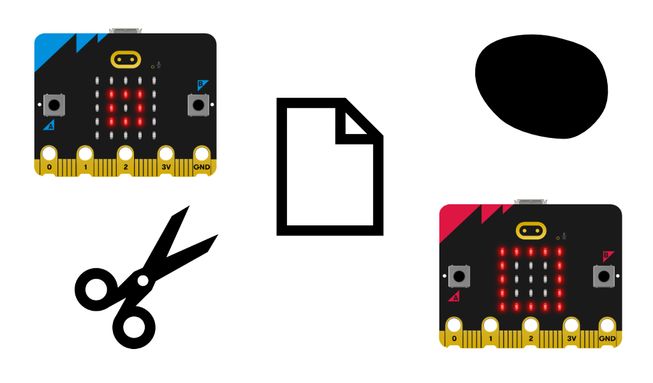
- Pedra, papel e tesoura é um jogo de sorte para duas pessoas. Você e outra pessoa balançam os punhos três vezes e depois fazem um gesto aleatório para mostrar pedra (punho fechado), papel (mão aberta) ou tesoura (dois dedos em forma de tesoura). Pedra vence tesoura, tesoura vence papel e papel vence pedra.
- Este programa permite que o micro:bit escolha pedra, papel ou tesoura para você. Baixe o programa em dois micro:bits e conecte um suporte de pilhas a cada um. Depois, você e sua dupla devem agitar os micro:bits para ver duas imagens aleatórias, uma em cada micro:bit.
- Você também ouvirá efeitos sonoros diferentes para pedra, papel e tesoura. A pedra produz um som 'triste', o papel produz um som de 'olá' e a tesoura produz um som 'misterioso'.
- O programa usa uma variável chamada ‘tool’. Variáveis são recipientes que armazenam dados, os quais podem ser acessados e atualizados durante a execução de um programa. A variável ‘tool’ é usada para armazenar números aleatórios.
- Quando o acelerômetro do micro:bit detecta um movimento de agitação, ele define a variável ‘tool’ como um número aleatório: 0, 1 ou 2. O programa usa 0 porque os computadores começam a contar a partir de 0.
- O programa usa a seleção para decidir qual imagem mostrar na tela de LED e qual som expressivo reproduzir.
- Se o número aleatório for 0, o programa mostrará um ícone de pedra (um quadrado pequeno) e reproduzirá o som ‘triste’. Se for 1, ele mostrará o ícone que representa o papel (um quadrado) e reproduzirá o som ‘olá’. Se não for 0 nem 1, ele deve ser 2, pois instruímos o micro:bit a escolher apenas números aleatórios entre 0 e 2. Nesse caso, ele mostrará a tesoura e reproduzirá o som 'misterioso'.
Itens necessários:
- um micro:bit V2
- Editor MakeCode;
- Conjunto de baterias;
Instruções passo a passo
Abra o projeto para encontrar os blocos necessários usando os botões acima.
Instruções passo a passo
- Abra o projeto usando os botões acima para encontrar os blocos necessários.
- Encontre o bloco escolher aleatório de 0 a 2 e coloque-o sobre o 0 no bloco definir tool como 0.
- Pegue o bloco definir tool como escolher aleatório de 0 a 2 e coloque-o dentro do bloco ao agitar. Agora, quando você agitar o micro:bit, ele escolherá um número aleatório entre 0 e 2 e o armazenará na variável tool.
- Agora você precisa escrever o código relacionado à seleção. Pegue o bloco se então senão e coloque-o dentro do bloco ao agitar, abaixo do bloco definir tool como escolher aleatório de 0 a 2.
- Pegue o bloco mostrar ícone quadrado pequeno e coloque-o abaixo de se tool = 0 então no bloco se então senão.
- Em seguida, encontre o bloco tocar triste até terminar e coloque-o logo abaixo do bloco mostrar ícone quadrado pequeno. Agora o micro:bit mostrará um quadrado pequeno, ou pedra, e reproduzirá o som ‘triste’ se o número aleatório escolhido for 0.
- Agora encontre o bloco mostrar ícone quadrado e coloque-o abaixo de senão se tool = 1 então no bloco se então senão.
- Pegue o bloco tocar olá até terminar e coloque-o logo abaixo do bloco mostrar ícone quadrado. Agora o micro:bit mostrará um quadrado e reproduzirá o som ‘olá’ se o número aleatório escolhido for 1.
- Em seguida, pegue o bloco mostrar ícone tesoura e coloque-o abaixo de senão no bloco se então senão. Coloque o bloco tocar misterioso até terminar logo abaixo dele. Agora seu micro:bit mostrará um ícone de tesoura e tocará um som “misterioso” quando o número aleatório escolhido for 2.
Personalize
- Escolha seus próprios sons expressivos para tocar para os diferentes objetos usando o menu suspenso nos blocos tocar som até terminar. Há 10 para escolher.
- Use outros ícones do bloco mostrar ícone, como a girafa, o pato, a caveira e o fantasma, usando a opção suspensa. Invente novas regras para o jogo.
Exemplo de um projeto concluído
Dê uma olhada em um código concluído.
Projetos relacionados
Este projeto faz parte de uma coleção de projetos inclusivos com sons e imagens.