Passo 1: Faz tu mesmo
O que é isto?
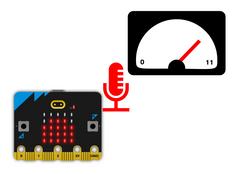
Record your voice using the BBC micro:bit’s microphone and play it back speeded up – or slowed down.
Introdução
Guia do código
Como usá-lo
Put the code below on a micro:bit. Press button A and speak into the microphone. A square appears on the LED display while it’s recording.
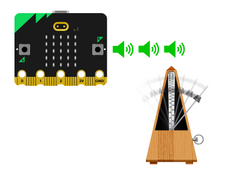
Press button B to play back the recorded sound. It plays back twice as fast, making your voice speed up and sound squeaky!
Como funciona
The code sets the sample rate to 10,000 Hertz (Hz) for recording. This means the micro:bit measures, or samples, sound from the microphone 10,000 times every second.
When it plays it back, it plays back the samples twice as quickly, 20,000 times every second.
Gravar um novo som irá apagar a gravação anterior, tal como premir o botão de reinício na parte de trás, ou desligar o micro:bit da sua fonte de alimentação (USB ou pack de pilhas).
Do que é que precisas
- micro:bit V2
- Editor MakeCode
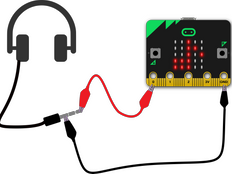
- Opcional: cabos com pinça crocodilo e auscultadores, ou um altifalante amplificado, para aumentar o volume e a qualidade do som.
Passo 2: Cria o teu código
Passo 3: Melhora-o
- Altera “ao premir o botão B” para “ao agitar” — assim podes gravar um som e colocar o micro:bit com algo que queres proteger. Vai reproduzir a tua gravação quando for levantado!
- Change the playback sample rate number in the button B block: bigger numbers will make it play back faster, and make the pitch higher. Lower numbers will slow down the sound and make the pitch lower.
- Experiment with different recording sample rates: recording at lower sample rates will allow you to make longer recordings, but the quality will be worse. Taxas de amostragem de gravação mais altas significam que só pode fazer gravações mais curtas, mas a qualidade será melhor.
- Attach headphones or an amplified speaker to pins 0 and GND to improve the quality of the sound that’s played back.