What is it?
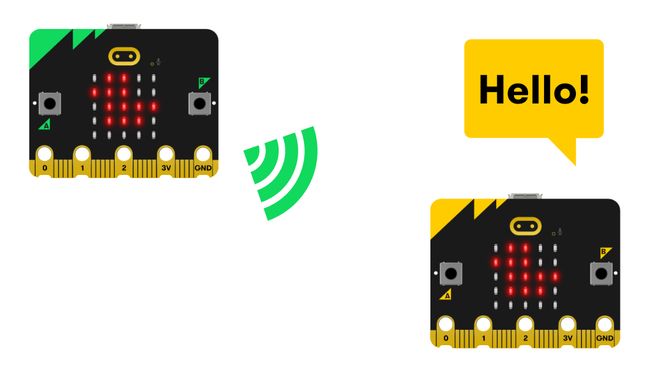
Make a duck fly from one micro:bit to another and hear a ‘hello’ sound when it lands. This project will help you learn about the micro:bit's radio function.
How it works
- The program should be downloaded onto two micro:bits to work.
- The program uses radio to send a message from one micro:bit to another.
- Both micro:bits should be set to the same radio group number (which can be any number from 0 to 255) in order to be able to communicate. In the code below, the radio group is set to 23. In a large class setting, teachers should give each pair of students a unique number so that their code does not interfere with others' in the class.
- Shake your micro:bit to send the duck from your micro:bit to your friend's micro:bit. When your micro:bit’s accelerometer detects the movement, the program sends a radio signal and clears your micro:bit’s LED display.
- When your friend’s micro:bit receives a radio signal, it shows a duck on their LED display and plays a ‘hello’ sound.
- Your friend can shake their micro:bit to send the duck back to you.
What you need
- a V2 micro:bit
- MakeCode editor
- battery pack
Code your project
Here are the blocks you need to make the project - now put them together.
Step-by-step instructions
- Open the project to find the blocks you need using the buttons above.
- Find the radio set group 23 block and put it into the on start block. Change the number 23 to a different number if you need to.
- Find the clear screen block and put it inside the on shake block.
- Then find the radio send string ‘DUCK’ block and put it inside the on shake block under the clear screen block.
- Find the show icon (duck) block and put it into the on radio received receivedString block.
- Find the play hello until done block and add it under the show icon (duck) block inside the on radio received receivedString block.
- Download the program to your micro:bit, attach a battery pack, and try it out!
Make it your own
- Change the duck in the show icon block to a different icon using the drop-down arrow. What other things can you throw to a friend? Make sure you make the changes to the programs on both micro:bits in your group.
- Change the sound hello in the play hello until done block to a different sound using the drop-down arrow. What other noises can you make?
Example of a completed project
Take a peek at some completed code.
Related projects
This project is part of a collection of inclusive projects for students with visual impairments.