Helping young people shape their AI future
Gareth Stockdale, CEO of the Micro:bit Educational Foundation, reflects on what it means to be a Luddite in an AI world, and how education can help young people understand, question and shape the technology around them.
I am a Luddite.
There, I have said it.
Artificial intelligence, commonly known as AI, is taking over the world. It is either going to save the world or destroy it; it is either revolutionary technology or a massive bubble. It has hallucinations, or errors are just baked in at a systems level. Or neither, and the system is just functioning as designed.
So, being a Luddite, where does that leave me in the new AI world as the CEO of an edtech not-for-profit?
What is a Luddite?
"Luddite" is shorthand for someone who blindly opposes technology and, importantly, is doomed. It is used as an insult, suggesting that questioning technology can only point us backward. The story goes that the Luddites opposed technology, smashing the new cotton machines in nineteenth-century England, because they could not see their place in that new future.
But Brian Merchant's book, Blood in the Machine, shows that they were mainly highly skilled machine operators who were concerned about the unethical roll-out of the technology. They wanted to preserve skills, working conditions and living conditions. Importantly, they did not want to stop progress. They just wanted to make sure that progress took wider society into account, not just profits.
AI and the digital divide
AI is a complex technology that creates new ways for people to work with computers. It has the potential to create trillions of dollars in economic value, driven by increases in labour productivity and new revenue streams from product innovation (OECD).
But according to UNESCO, 60% of primary schools globally are not currently connected to the internet, and fewer still are able to give children the digital skills they need. This disproportionately affects girls, the Global South and children with disabilities. How can we ensure that the speed of AI innovation doesn't widen this gap?
Our response
At the Micro:bit Educational Foundation, we are focusing on how we enable schools and teachers to teach children about AI: how it works and how to use it.
By supporting educators to teach about AI, we can ensure all children have the knowledge to design future AI-enabled solutions, making them more inclusive, equitable and for the benefit of wider society. It can also empower young people to have more informed discussions about the role that AI and technology should have in our future society.
How can we think about the potential of AI, whilst also considering how to counter its worst excesses? We should be helping educators to find the best route to teaching it, whilst acknowledging the ethical challenges it poses, including copyright and environmental issues.
As a Foundation, we have spent the last ten years broadening participation in tech. Our aim has never been to create an army of coders, but to provide an understanding of computational thinking and programming.
Physical computing with the micro:bit
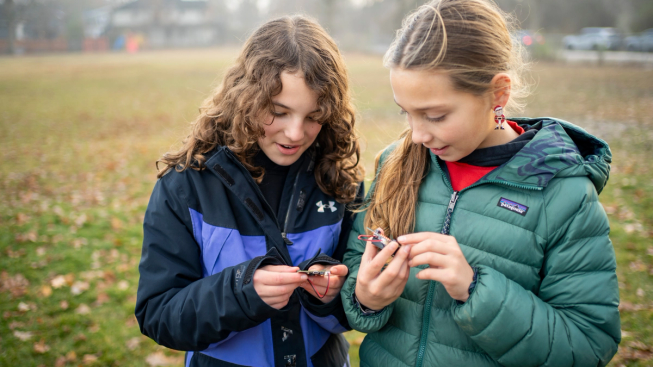
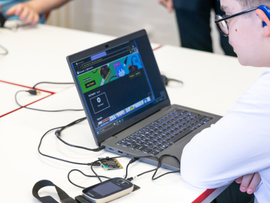
Physical computing with the micro:bit helps young people explore abstract concepts through hands-on, real-world experiences.
The Foundation is well placed to do this. Physical computing with the BBC micro:bit gives children and teachers hands-on experiences in the classroom, so they can understand abstract concepts through concrete, real-world, fun learning activities, supported by teacher professional development. With over 12 million devices distributed around the world, an estimated 73.5 million children have learnt digital skills with the micro:bit.
Our research shows that physical computing breaks down barriers. The micro:bit appeals equally to girls and boys (EPICS), and 78% of teachers agree that there is something in particular about micro:bit lessons that really engages their SEND students (Platypus research). Its low cost, combined with lots of free resources, which makes it easy for educators to get started.
Our Theory of Learning
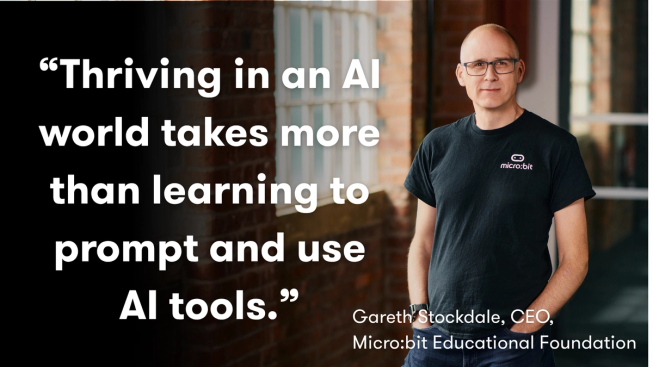
Thriving in an AI world takes more than learning to prompt and use AI tools. Young people need foundations: to understand the technologies around them, to think critically about how they are used, and to apply them creatively.
We see that foundation resting on three connected literacies, which form the core of the Foundation's Theory of Learning:
- Computing literacy
- Data literacy
- AI literacy
Underpinning all three are the human capabilities that remain critical however the technology develops: creativity, critical thinking and collaboration, alongside characteristics such as resilience and a sense of agency. Together, these let young people not just participate in an AI world, but shape it.
Computing literacy
Computing literacy is how young people make sense of the digital world. As AI is embedded in more of the technology around them, understanding how computer systems actually work matters more, not less. Computing literacy helps them build knowledge of computational thinking and programming, and of how software, hardware, networks and digital systems fit together.
That understanding, along with other factors such as confidence and mastery, moves a learner from using technology to creating with it. It teaches them to break problems into manageable parts, to design and evaluate solutions, and to see where AI sits within the wider systems that support it.
Data literacy
Data sits at the heart of AI. It is collected, shared and used to inform decisions that affect individuals, communities and society. Data literacy enables learners to gather, visualise, interpret and communicate data, turning information into insight that can build understanding of the world.
AI systems are trained on data, which makes the quality, representation and use of that data critical. Learners need to explore how data is collected, organised and used, and to recognise that data can be incomplete, unrepresentative or biased, and that those flaws travel directly into the outputs a system produces.
AI literacy
Learners need real opportunities to understand how AI systems work: how machines are trained with data, and where different forms of AI are strong and weak. They should recognise that AI systems are designed by people, shaped by the data they are trained on, and capable of producing inaccurate, biased or misleading outputs. AI literacy helps young people judge when AI can support learning, creativity and problem solving, and when human judgement is essential.
It is crucial for learners to establish a healthy, effective, critical relationship with AI-based technology. This matters because being a capable user of AI will be a huge advantage to people in all aspects of their lives.
It also means going beyond using the tools. Learners should have the chance to see how AI systems are developed and applied to real problems: how they are trained, tested and improved. That is how they come to understand the human choices behind how AI works and how it is used.
AI literacy extends to consequences, too. It encourages learners to think critically about accountability, environmental sustainability, and the value of human creativity and decision making.
Human capabilities
As AI becomes more capable, distinctly human capabilities become more valuable. Creativity, curiosity, critical thinking, collaboration, empathy, ethical reasoning and resilience let young people ask meaningful questions, identify authentic problems and generate original ideas. They are what help a learner decide when to trust AI, when to challenge it, and when to build something themselves.
AI should enhance human creativity and learning, not replace it. Education's job remains what it always was: to develop confident, thoughtful and adaptable learners, equipped to make informed decisions about the technologies they use and create with.
CreateAI
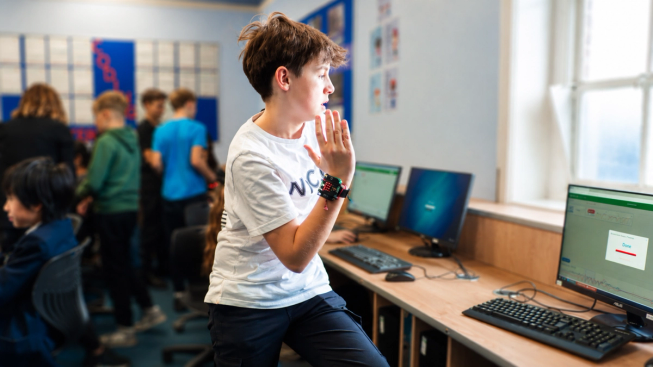
With micro:bit CreateAI, learners use their own movement data to train and test machine learning models, making AI concepts tangible.
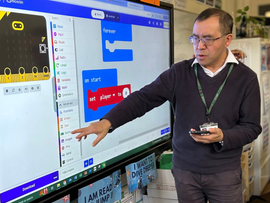
To help teach AI in an accessible way, we released micro:bit CreateAI. Based on a prototype created by a team at Aarhus University, it gives learners a fun, tangible way to collect data using the micro:bit's built-in accelerometer, visualise that data, and then create their own machine learning models. These models can then be deployed in Microsoft MakeCode, driving experiences in the real world.
With CreateAI we can break down complex, abstract concepts of how AI works and involve students in physical, engaging, real-world activities. For example, the micro:bit can recognise when you wave, clap or do your favourite dance moves, and you can then use that to create something in the real world.
Through that hands-on learning, you can layer in all the areas of AI literacy, such as what AI is, types of AI, how machines learn, perceptions of AI, and the strengths and weaknesses of AI.
Why it matters
Whether you think AI is set to destroy the world or save it, it is everywhere. We believe we should be doing all we can to help teachers in the classroom give their students the AI literacy they need to create their best digital future.
An AI literacy that ensures more people are able to create with it, and also to discuss its limitations and dangers.
And, as a true Luddite, the AI literacy to ensure that future implementation of this technology works in the best interests of the whole of society.
And yes, I did use AI to edit this blog…