Transfer code to the micro:bit
Learn how to download a program onto a micro:bit from a computer or tablet
Introduction
This guide explains how to transfer code from a computer or tablet so that it can run on a BBC micro:bit.
It covers:
- Transferring a program from MakeCode or the micro:bit Python Editor
- Transferring a program that has been downloaded as a file
When your program is being transferred, your micro:bit will pause and you may see the yellow LED on the back flash. Once it’s copied across, your program starts running on your micro:bit.
Transferring a program from MakeCode or the micro:bit Python Editor
From a computer
These instructions are designed for users on a Windows, Mac, Chromebook, Linux or Raspberry Pi computer.
- Connect your micro:bit to your computer with a USB cable
- Choose either 'Download' (in MakeCode) or 'Send to micro:bit' (in Python):
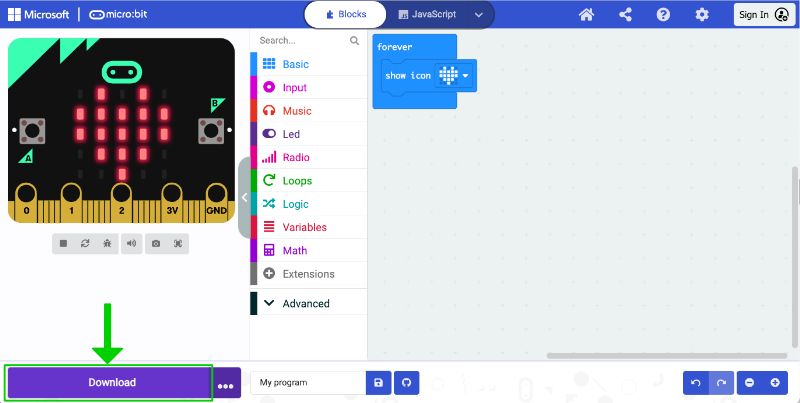
MakeCode
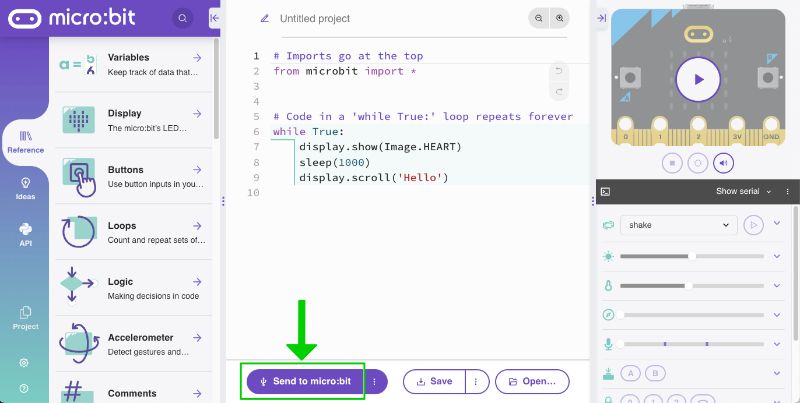
Python
- Follow the instructions on screen
Using Chrome/Edge
Using Chrome/Edge
- The instructions will prompt you to pair your micro:bit to your browser and then transfer the code directly to your micro:bit using webUSB
MakeCode
Python
Save a copy of your program
- If you would like to save a copy of your program to your local computer choose:
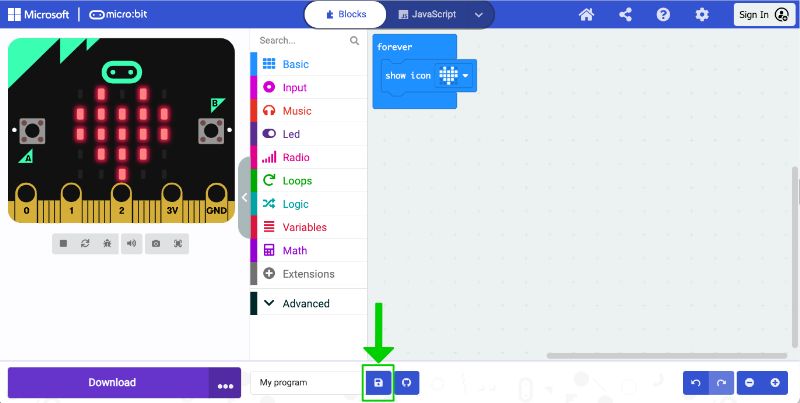
MakeCode
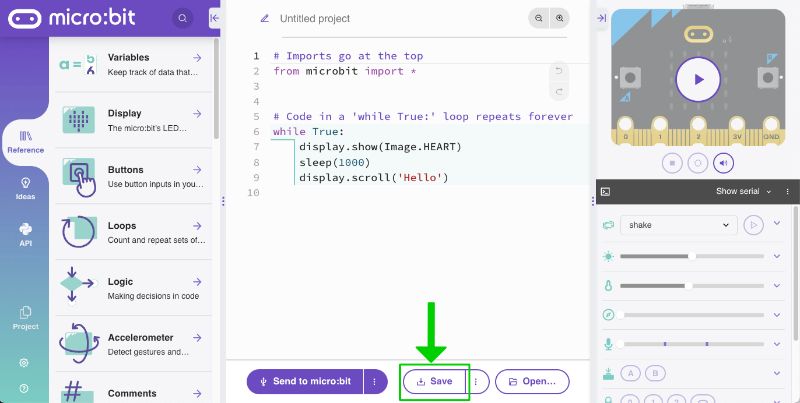
Python
- Alternatively, in MakeCode you can create an account and save your code there.
- By default, MakeCode will list recent projects on the home page but this uses temporary browser storage so projects can be accidentally deleted and are not accessible from other devices/browsers.
Troubleshooting
- You may need to update your micro:bit firmware if you got the device a long time ago. Find out more on our firmware page.
- Alternatively, use the method above to save a copy of the program to your local computer then see transfer a program that has been downloaded as a file.
Using Safari/Firefox/Other
Using Safari/Firefox/Other
From an Apple iPad or iPhone
MakeCode
- You will need the micro:bit, battery pack and the iOS app loaded on your iPad or iPhone

- Bluetooth must be enabled on your iPad or iPhone
- From MakeCode within the iOS app (select ‘Create Code’), choose download
- Follow the instructions on screen and in the video below
The micro:bit Python Editor
Unfortunately, it is not currently possible to transfer code from the Python editor to a micro:bit on an Apple iPad or iPhone.
From an Android device
To share code from an Android device to a micro:bit you can either use a USB cable or the Android app.
Using a cable
This works with MakeCode and the Python Editor.
You will need the micro:bit, a USB cable and an Android device.
Follow the instructions for coding on a computer instead. You must use a Chrome or Edge browser and connect the USB cable to download.
From the Android app
Using the Android app only works with MakeCode.
- You will need the micro:bit, battery pack and the Android app loaded on the Android device

- Bluetooth must be enabled on your Android device
- Follow the instructions in the video below. You will need to pair your micro:bit with your Android device once at the start of each session (as shown at the start of the video) then each time you want to transfer code to the Android app follow the steps in the second part of the video.
Visit our support article for more details on using our Android app.
Transfer a program that has been downloaded as a hex file
Teaching students how to first download their code as a file and then transfer it to a micro:bit using drag and drop can be a great way to help them learn to use their computer’s file system and ensure they keep a local copy of their code. You will also use this technique when you want to transfer a pre-made program on to your micro:bit or you are using any browser other than Chrome or Edge.
- Download the program to your local computer as a hex file.
- Select the link provided with pre-made programs on the microbit.org website to download them, or in MakeCode or the Python Editor, use the Save icon/button:
MakeCode
Python
- Follow the steps in the video below:
As shown in the video:
- Connect your micro:bit to your computer with a USB cable
- Open Finder (Mac) / File explorer (Windows) and notice that your micro:bit is listed like a USB drive called MICROBIT.
- Find the downloaded program hex file (e.g. in your local downloads folder) and drag and drop this on to the MICROBIT drive.
After you transfer your .hex file, the MICROBIT drive will disconnect and reconnect as the micro:bit resets. If you look at the contents of the MICROBIT drive, you will not see the .hex file listed, this is normal.
Visit support for further assistance and troubleshooting.